
Microsoft Windows Vista Home Basic Full Product
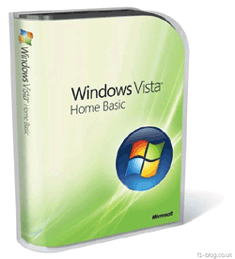
Availability: Phased Out

Pay only P 1,129 a Month for 12 months.
Or pay only P 2,138 a Month for 6 months.
- Installment promo is available for locally issued credit cards
- Card holder must transact inside an Asianic store to avail of the installment
Windows Vista Home Basic is the edition of Windows for basic home computing needs. If you only want to use your PC for tasks like browsing the Internet, using e-mail, or viewing photos, then Windows Vista Home Basic may be the right edition for you. While it won't provide as many benefits as Windows Vista Home Premium, it will help you use your PC more easily and more safely than you could with Windows XP.
The first thing you'll notice about Windows Vista Home Basic is how easy it is to find the programs and files you're looking for. The instant desktop search feature looks across all of your documents, e-mails, photos, and other files, organizing the results in the way that you want to view them. When coupled with the built-in web search of Windows Internet Explorer 7 in Windows Vista, you'll spend less time looking for the things that you need and more time on the activities that you care about.
With automatic defenses against malicious software and fraudulent websites, Windows Vista Home Basic enables you and your family to use your computer with greater confidence. Plus, parents can use built-in controls to help ensure their children's computer use is protected and appropriate.
Windows Vista Home Basic makes it easier than ever to set up your new PC, with features that easily transfer all of your data and settings from your old PC to your new one. What's more, you can have peace of mind for years to come with technology that keeps your system running quickly and reliably over time.
Simply put, Windows Vista Home Basic provides you with just the essentials you need for home computing.
Note: If your system features a 64-bit processor, you can take advantage of its advanced design in this edition of Windows Vista.
Windows Vista Home Basic
Recommended system requirements
- 1 GHz 32-bit (x86) or 64-bit (x64) processor
- 512 MB of system memory
- 20 GB hard drive with at least 15 GB of available space
- Support for DirectX 9 graphics and 32 MB of graphics memory
- DVD-ROM drive
- Audio Output
- Internet access (fees may apply)
Actual requirements and product functionality may vary based on your system configuration. Windows Vista Upgrade Advisor can help you determine which features and edition of Windows Vista will run on your computer.
While all editions of Windows Vista can support multiple core CPUs, only Windows Vista Business, Ultimate, and Enterprise can support dual processors.
Windows Vista Home Basic
Minimum supported requirements
Certain product features are not available with minimum supported requirements.
- 800 MHz processor and 512 MB of system memory
- 20 GB hard drive with at least 15 GB of available space
- Support for Super VGA graphics
- CD-ROM drive
Comparison Chart
| Features |
Basic |
Home Premium |
Business |
Ultimate |
|
 |
|||||
 |
Most secure Windows ever with Windows Defender and Windows Firewall |
 |
 |
 |
 |
|
|
Quickly find what you need with Instant Search and Windows Internet Explorer 7 |
|
|
|
|
|
|
Elegant Windows Aero
desktop experience with glass-like menu bars, Windows Flip 3D, and Live Thumbnails |
|
|
|
|
|
|
Best choice for laptops with Windows Mobility Center and Tablet PC support |
|
|
|
|
|
|
Collaborate and share
documents with Windows Meeting Space |
|
|
|
|
|
|
Extend Windows Vista to secondary displays and devices with Windows SideShow |
|
|
|
|
|
|
Experience photos and
entertainment in your living room with Windows Media Center |
|
|
||
|
|
Enjoy Windows Media Center throughout your home with Media Center Extenders |
|
|
||
|
|
Protect against hardware
failure with Windows Complete PC Backup and Restore |
|
|
||
|
|
Windows Fax and Scan Easily send and receive faxes or scan documents and images with Windows Fax and Scan |
|
|
||
|
|
Use Scheduled Backup to automatically backup your files |
|
|
|
|
|
|
Easier remote access for
your business Get to the resources and applications you need with Remote Desktop Connection |
|
|
||
|
|
Easier networking
connectivity Stay connected wherever and whenever you like with Network and Sharing Center |
|
|
|
|
|
|
Better protect your data against loss with Windows BitLocker Drive Encryption |
|
|||
|
|
Easily make DVDs with Windows DVD Maker |
|
|
||
|
|
Have more fun on your PC with three new premium games: Chess Titans, Mahjong Titans, and Inkball |
|
|
||
|
|
Create high definition
movies with Windows Movie Maker in High Definition |
|
|
||