
Tuesday, 09 June 2026
Canon IX4000 A3+ Printer
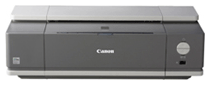
Canon IX4000 A3+ Printer
A3+ Size Photo Printer; 4800 dpi resolution; individual ink tanks; Widest 8-colour gamut; 18ppm in monochrome & up to 14ppm in colour; PictBridge Compatible; USB InterfaceAvailability: Phased Out

Pay only P 1,172 a Month for 12 months.
Or pay only P 2,220 a Month for 6 months.
- Installment promo is available for locally issued credit cards
- Card holder must transact inside an Asianic store to avail of the installment
| Experience the PIXMA Revolution | |
 |
|
• |
Perfect companion for designers and architects. |
 |
|
• |
Affordable A3+ borderless PIXMA photo printing performance as well as a variety of other popular sizes, including A3, A4 and 4”X6”. |
|
|
|
|
• |
With PictBridge, now you can print file number on the photo for easy references for future reprints. |
|
|
| FINE™ Speed and Lab-quality prints | |
|
|
| • | Engineered with Canon's patented Full-photolithography Inkjet Nozzle Engineering (FINE™) technology. |
|
|
| • | Innovative print head ejects consistent, precise and tiny ink droplets as fine as 2 picoliters (min.). |
|
|
| • | Produces impressive colour resolution of maximum 4800 colour dpi* for amazing detail and realistic photos. |
|
|
| • | Produces beautiful photo lab quality A3+ bordered print in approximately 166 seconds! *1 |
|
|
| • | Deliver fast A4 document printing of up to 18ppm*2 for monochrome text and up to 14ppm*2 for colour document. |
|
|
| • | 4-colour ink system with individual ink tanks for better cost-efficiency. |
|
|
| • | New pigment black ink has a higher resistance to smudging when handling or highlighting the document. |
|
|
|
|
| • | It also improves marker stability, greatly reducing smearing and bleeding. |
|
|
| Fool Proof Ink Management | |
|
|
| • | Never have to worry about running out of ink while printing or printing awful-looking pictures due to incorrect placement of inks. |
|
|
| • | Smart LED ink tank system has an indicator that flashes when ink is running low or improperly installed and will flash even faster if ink tank is empty. |
|
|
| Convenient Direct Printing | |
|
|
| • | Connect your Bubble Jet Direct or PictBridge-compatible camera or video camcorder to print beautiful photos directly without the need for a PC! |
|
|
| • | USB 2.0 Hi-Speed interface enables fastest photo transfers. |
|
|
| Prints That Last A Lifetime | |
|
|
| • | ChromaLife100 system ensures your precious photos are as good as professional lab quality and that they last as long as 100 years*3 too! |
|
|
| • | Achieved through a synergy of PIXMA’s FINE™ print head technology and genuine Canon inks with several types of Canon photo papers*4. |
|
|
| 30 Year Light Fastness | |
|
|
| • | Prints will resist fading for 30 years*5 when printed on several types of Canon photo paper, stored under a glass frame and displayed indoors, away from direct sunlight. |
|
|
| 10 Year Gas Fastness | |
|
|
| • | Certain gases in the air are responsible for causing prints to fade; ChromaLife100 protects your prints from the effects of these gases for up to a decade! |
|
|
| Easy-PhotoPrint 3.3 | |
|
|
| • | Face Enhancing |
|
|
• |
Photo Error Correction |
|
|
| PhotoRecord | |
|
|
| • | Create unique photo albums by adding your personalised text, resize and rotate photos or add clip arts. |
|
|
| Versatile Printing Option | |
|
|
| • | Print ID Photos, photo stickers or your favourite credit size photos to carry with you. |
|
|
| Easy-WebPrint | |
|
|
| • | Easy-WebPrint software allows Windows® users to print web pages, not only in full colour, but also without losing information so nothing gets cropped! |
|
|
| Based on default mode driver setting using Canon Photo Paper Plus Glossy Paper. Print speed may vary depending on system configuration, interface, software, print mode and type of paper used. | |
|
|
| * | Ink droplets can be placed with a pitch of 1/4800 inch per minimum |
|
|
| *1 | Based on default mode driver setting using Canon Photo Paper Plus Glossy Paper. Print speed may vary depending on system configuration, interface, software, print mode and type of paper used. |
|
|
| *2 | PPM print speeds based on the highest speed printer driver mode. Photo print is based on the default mode setting using Canon Photo Paper Plus Glossy paper. Print speed may vary depending on the system configuration, interface, software, document complexity, print mode, page coverage, type of paper used and does not take into asccount data processing time on host computer. |
|
|
| *3 | Prints can last up to 100 years when stored in an archival album with plastic cover sheet and kept in the dark. |
|
|
| *4 | ChromaLife100 can be achieved with Photo Paper Pro, Photo Paper Glossy Plus, Photo Paper Plus Semi-Gloss, and Glossy Photo Paper. |
|
|
| *5 | Estimating 500lux/ 10 hours per day |
| 100-years
life in an album: The permanence presented above is an estimated using an accelerated dark storage tests designed for in silver-halide photos (ISO/FDIS 18909). Samples are printed with an optical density of 1.0 (each black, cyan, magenta, yellow) and kept in a controlled environment of high temperature and 50% relative humidity. The test environment is designed to accelerated colour fading. The rate of the decrease in the optical density and the rate of yellow discolouration of the paper is kept in an environment of 23�C 50% RH. |
|
| 30-year lightfastness: When displayed in a glass frame in a typical indoor space (estimating 500 lux / 100 hours per day) without direct sunlight. Estimated lightfastness is made under the following test conditions. Light source: White fluorescent light 70,000 lux; Temperature: 24�C; Humidity: 60% RH; A 2mm thick glass is placed on the sample with an air gap between the glass and the sample during accelerated testing. |
|
| 10-year gas
fastness: Estimated gas fastness is made under the following test conditions: Temperature (24�C) and humidity (60% RH) are controlled in an environment of mixed gases of O3, NOx and SOx . The ratio of the gases is typical to indoor air composition (O3 : NOx : SOx = 3: 19: 1) with 100 times concentration in order to accelerate fading. |
|
Estimated for image permanence are made using the Wilhelm Imaging Research, Inc. Endpoint criteria: Accumulated illuminance causes a monochromatic / reflective optical density loss of 20-35% (figures set respectively for each colour, starting density of 1.0). Accumulated illuminance causes a different in colour balance of yellow, magenta and cyan (each component in composite black) of 12-18%. |
|
Note for printing and displaying photos: The image permanence estimates presented above may vary depending on display / storage conditions. The expressed number of years estimates are the result of stimulated, accelerated tests conducted by Canon Inc. and do not represent a product guarantee. |
|
| Making your printed images last longer: Light, environmental gases, high temperature and humidity can accelerate colour fading. When displaying your photographs, avoid high intensity lighting and use of glass-filtered frames. Photos stored in the dark, using archival quality albums or storage materials, will tend to last longer than photos exposed to light. Avoid high temperatures and humidity to promote the image permanence of your photos. | |
Technical Specifications
|
||||
| Printing Method | Bubble Jet Printing, Serial | |||
|
||||
| Printing resolution | 4800 x 1200 dpi | |||
|
||||
| Speed | Black | 18 pages*1 / min | ||
| Colour | 14 pages*1 / min | |||
| Photo 4x6” PP101/Standard/Borderless | 51 secs | |||
| Photo A3+ PP-101/Standard/Bordered | 166 secs | |||
|
||||
| Ink droplet | Min. 2pl | |||
|
||||
| Nozzles | Total: 1600 nozzles (Pigment Bk: 320N / Clr: 256x5N) |
|||
|
||||
| Printable Width | Up to 322.2mm | |||
| Borderless: | Up to 329mm | |||
|
||||
| Recommended Printing Area | Top margin: | 34mm | ||
| Bottom margin: | 31.5mm | |||
|
||||
| Photo Direct | ||||
|
||||
| Camera Direct | PictBridge | |||
|
||||
| Exif 2.21 (Adobe RGB) | Supported | |||
|
||||
| Media Handling Capacity |
||||
|
||||
| Paper Handling | Plain Paper 150 A4/A5/B5/LTR/LGL=approx.150, Super White Paper SW-201 A4/LTR=approx.100, High Resolution Paper (HR-101N) A4/LTR=80, Photo Paper Pro (PR-101) A4/LTR=10, 4" X 6"=20, Photo Paper Plus Glossy (PP-101) A4/LTR=10, 4" X 6"=20, 5" X 7"=20, Photo Paper Plus Semi-gloss (SG-101) A4/LTR=20, 4" X 6"=20, Glossy Photo Paper (GP-401) A4/LTR=10, 4" X 6"=20, Matte Photo Paper (MP-101) A4/LTR=20, Photo Paper Plus Double Sided(PP-101D)A4/LTR/ 5" X 7"=10, T-Shirt Transfer (TR-301) A4/LTR=1, Transparency (CF-102) A4/LTR=30, Envelope(COM10, DLvertical =10 |
|||
|
||||
| Applicable Media Sizes | A3+, A3, A4, LTR, LGL, B5, A5, 4”X6”, 5”X7” | |||
|
||||
| General | ||||
|
||||
| System Requirements | CD Rom Driver or access to one over a network connection -256-colour SVGA monitor or greater-Microsoft internet Explorer 4.01 or later (Service Pack 2 or later)-60MB of available hard disk space | |||
|
||||
| For Microsoft Win 98/ME/2000/XP USB | IBM or compatible computer with Pentium
300 MHz processor or higher 128MB of RAM or more recommended |
|||
|
||||
| For Microsoft Win XP/2000 SP4 USB 2.0 High Speed |
IBM or compatible computer with Pentium
III, Celeron 566 MHz processor or higher 128MB or more recommended |
|||
|
||||
| For Macintosh Mac OS X | OS X v10.2.8 or later 128MB or RAM |
|||
|
||||
| Interface | USB 2.0 High Speed | |||
|
||||
| Dimensions (WxDxH) Excluding AutoSheet Feeder |
601 x 317.6 x 193.2mm | |||
|
||||
| Weight | Approx. 9.3kg | |||
|
||||
| Power Consumption | Standby: 0.8W, Printing: approx. 17W | |||
|
||||
| Individual Ink Options | PGI-5 BK (Pigment), CLI-8C/M/Y (Dye) | |||
|
||||
| *1 Based
on Canon Standard pattern *2 Based on Canon BJ printer specific speed test pattern *3 Based on ITU-T No.1 Chart *4 Based on Canon Colour Test sheet |
||||