
Monday, 27 April 2026
Canon MP830
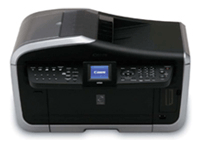
Canon MP830
Print-Copy-Scan; 9600 dpi resolution; 31ppm in monochrome or up to 24ppm in colour; 5-colour individual ink tank system; 4800dpi flatbed scanning; Memory Card Slot; PictBridge Compatible; IrDA & USB Interface; 3.0-inch Colour LCD viewerAvailability: Phased Out

Pay only P 2,307 a Month for 12 months.
Or pay only P 4,369 a Month for 6 months.
- Installment promo is available for locally issued credit cards
- Card holder must transact inside an Asianic store to avail of the installment
The Premium Home Office All-In-One Performance with Auto Duplex and Fax Function
| Experience the PIXMA Revolution | |
 |
|
| • | Ultimate solution for small office/home office. |
 |
|
| • | Advanced PIXMA All-In-One performance with Auto Duplex ADF and fax in a single machine. |
|
|
| • | Colour printing, faxing, copying, scanning and more with unique PIXMA Advanced Media Handling capabilities. |
|
|
| • | Sought after Super G3 high-speed faxing. |
|
|
| • | Convenient Direct Printing capabilities. |
|
|
| FINE™ Speed and Lab-quality prints | |
|
|
| • | Engineered with Canon’s patented Full-photolithography Inkjet Nozzle Engineering (FINE™) technology. |
|
|
| • | Innovative print head ejects consistent, precise and tiny ink droplets as fine as 1 picoliters (min.). |
|
|
| • | Produces impressive colour resolution of maximum 9600 dpi* for amazing detail and realistic photos. |
|
|
| • | Beautiful photo lab quality 4” X 6” borderless print in just 36 seconds! *1 |
|
|
| • | Deliver fast document printing of up to 30ppm*2 for monochrome text and up to 24ppm*2 for colour document. |
|
|
| • | ContrastPLUS 5-colour ink system with four dye-based colour inks and a pigment-based black ink produces images of higher contrast and “blacker” blacks. |
|
|
| • | Special pigment black ink has a higher resistance to smudging when handling or highlighting the document. |
|
|
| • | It also improves marker stability, greatly reducing smearing and bleeding. |
|
|
| Fool Proof Ink Management | |
|
|
| • | Never have to worry about running out of ink while printing or printing awful-looking pictures due to incorrect placement of inks. |
|
|
| • | Smart LED ink tank system has an indicator that flashes when ink is running low or improperly installed and will flash even faster if ink tank is empty. |
|
|
| Ultra-Perfect Copying | |
|
|
| • | High-speed copying of up to 29cpm*3 for monochrome text and up to 24cpm*3 for colour document. |
|
|
| • | Be it photos or newspaper articles, Auto Exposure Copy feature automatically optimizes reproduction quality based on the type of original you are duplicating. |
|
|
| • | Convenient 4-on-1 copying feature allows four documents to be copied onto 1 page saving you paper and convenience of viewing multiple pages in a single glance. |
|
|
| • | The Auto Duplex Copy function makes 2-sided copies automatically without manually turning paper over. |
|
|
| • | DVD/CD Label Copy is also possible without the need of a computer! |
|
|
| Superior Scanning Made Easy | |
|
|
| • | Dual CCD scanning gives high-quality reproductions of 2400 x 4800dpi/600dpi with many photo enhancement capabilities, including Fading correction, Grain correction and Backlight correction. |
|
|
| • | With ADF (Auto Document Feeder), the PIXMA MP830 can perform Auto Duplex scanning for double-sided document. |
|
|
| • | The PIXMA MP830's convenient Push Scan function allows scanning to be accomplished using only the operational panel – operations on a computer are absolutely unnecessary. Scanned data will be saved to a computer or made into an email attachment. |
|
|
| High-speed Colour Faxing | |
|
|
| • | Super G3 modem transmits at 33.6Kbps – an A4 fax takes as little as 3 seconds*4. |
|
|
| • | 8 one-touch speed dials, 100 coded speed dials and stores up to 250 incoming pages*5. |
|
|
| • | 35-page Auto Document Feeder for transmitting large number of documents. |
|
|
| • | Convenient option sending fax directly from frequently used computer applications. |
|
|
| 35-page Auto Duplex Auto Document Feeder (ADF) | |
|
|
| • | Enjoy speedy batch copying and scanning of regular double-sided A4 documents with the automatic duplex function. |
|
|
| • | Eliminate the need to turn over originals manually. |
|
|
| * Sending faxes of double-side documents is not supported. | |
|
|
| Convenient Direct Printing | ||
|
||
| • | Connect your PictBridge compatible camera or video camcorder to print beautiful photos directly! | |
|
||
| • | Print directly from any compatible memory card. No computer needed! | |
|
||
| - | Just use Photo Index Sheet, indicate which photos you want to print out, the number of copies and the type of layout. | |
|
||
| - | View your images like a Pro with the 35-up Contact Print option. | |
|
||
| - | Images are printed out in a "film-like" manner. These larger images allow you to evaluate facial expressions and check for correct focus and exposure. | |
|
||
| - | It is possible to print photos stored on a memory card directly onto DVD or CD labels without the use of a computer. | |
|
||
| • | USB 2.0 Hi-Speed interface enables fastest photo transfers. | |
|
||
| Extra-large Colour LCD | |
|
|
| • | A 2.5-inch LCD colour viewer and control panel allows you to evaluate and enhance images on your compatible memory card before printing. |
|
|
| Advanced Media Handling | |
|
|
| • | 2-Way Paper Feeding allows you to keep photo paper stored in one tray and regular paper in the other without the need to switch between the two manually. |
|
|
| • | Or load the same type of paper in both feeders to make large print jobs of up to 300 sheets (of plain paper). |
|
|
| • | With Auto Duplex Printing, you can save time and money printing and copying on both sides of paper without the hassle of turning your printouts manually. |
|
|
| • | Forget about sticker labels! Print content listings or customise your CD/DVD with the built-in tray guide. |
|
|
| Memories are meant to last forever | |
|
|
| • | ChromaLife100 system ensures your precious photos are as good as professional lab quality and that they last as long as 100 years*6 too! |
|
|
| • | Achieved through a synergy of PIXMA’s FINE™ print head technology and genuine Canon inks with several types of Canon photo papers*7. |
|
|
| 30 Year Light Fastness | |
|
|
| • | Prints will resist fading for 30 years*8 when printed on several types of Canon photo paper, stored under a glass frame and displayed indoors, away from direct sunlight. |
|
|
| 10 Year Gas Fastness | |
|
|
| • | Certain gases in the air are responsible for causing prints to fade; ChromaLife100 protects your prints from the effects of these gases for up to a decade! |
|
|
| New MP Navigator 2.2 – Optimum results, minimum fuss | |
|
|
| Enhanced PDF Functions: | |
|
|
| • | Display newly created PDF files with easily identifiable thumbnail images. |
|
|
| • | User-friendly feature such as zoom in on PDF pages, turn pages, expand or condense documents is now possible. |
|
|
| • | Go ahead! Rearrange your PDF file or add your PDF file to the final page of existing PDF files. |
|
|
| Stitching Images Into One | |
|
|
| • | Save large sized originals by scanning one half of the original at a time and composite the two halves on your PC, and save that as data for one sheet. |
|
|
| Multi-Crop (featured in ScanGear MP ver.11.2) | |
|
|
| • | Useful multiple sections of a single document can be freely selected, scanned just once and then saved as individual scans in a multiple-page file. |
|
|
| • | Image and resolution adjustments can be made for each selected section of the document. |
|
|
| Image Correction At A Touch | |
|
|
| • | An arrays of image correction functions save you the time and hassle of manual retouching. |
|
|
| Easy-PhotoPrint 3.3 | |
|
|
| • | Face Enhancing |
|
|
• |
Photo Error Correction |
|
|
| Versatile Printing Option | |
|
|
| • | Print ID Photos, photo stickers or your favourite credit size photos to carry with you. |
|
|
| Easy-WebPrint | |
|
|
| • | Easy-WebPrint software allows Windows users to print web pages, not only in full colour, but also without losing information so nothing gets cropped! |
|
|
| Based on default mode driver setting using Canon Photo Paper Plus Glossy Paper. Print speed may vary depending on system configuration, interface, software, print mode and type of paper used. | |
|
|
Technical Specifications
| Printing Method | Bubble Jet Printing, Serial | |||
|
||||
| Printing resolution | 9600 x 2400 dpi | |||
|
||||
| Speed | Black | 30 pages*1 / min | ||
| Colour | 24 pages*1 / min | |||
| Photo 4x6” PP101/Standard/Borderless | 36 secs | |||
|
||||
| Ink droplet | Min. 1pl | |||
|
||||
| Nozzles | Total: 3584 nozzles (Pigment Bk: 512, Dye C/M: 512x2 each, Dye Bk/Y: 512) |
|||
|
||||
| True Borderless Prints | Credit card/4" x 6"/ 5" x 7"/ A4 | |||
|
||||
| Scan | ||||
|
||||
| Type | Flatbed Colour Scanner with Dual CCD | |||
|
||||
| Compatibility | TWAIN, WIA (WinXP Only) | |||
|
||||
| Optical Resolution | 2400 x 4800 dpi | |||
|
||||
| Selectable Resolution | 25-9600 dpi | |||
|
||||
| Scanning Speed | B&W | 1.3 msec / line (300dpi) | ||
| Greyscale | 1.3 msec / line (300 dpi) | |||
| Colour | 1.3 msec / line (300 dpi) | |||
|
||||
| Scanning Bit Depth | Colour | 48bit input /24bit output (RGB each 16bit/8bit) | ||
| Greyscale | 48bit input /8bit output | |||
|
||||
| Other Features | MMulti-Scan, PDF file creation and edition, Photograph corrections (Fading Correction, Grain Correction, Reduce Dust and Scratches, Backlight Correction), Descreen, Unsharp Mask | |||
|
||||
| Copy | ||||
|
||||
| Speed | Black | 29 pages / min*2 | ||
| Colour | 24 pages / min*2 | |||
|
||||
| Number of Copies | Up to 99 |
|||
|
||||
| Reduction / Enlargement | 25%-400% | |||
|
||||
| FCOT(First copy out time) | ?B&W? approx. 6.8 sec. ?Color? approx. 6.9 sec |
|||
|
||||
| Advanced Features | DVD/CD Label Copy, Special copy (Duplex copy*, 4-on-1 copy, 2-on-1 copy, Sticker (x2, x4, x9, x16,
), Borderless copy, Image repeat copy, Fading Correction, Sort) *only for plain paper |
|||
|
||||
| Fax | ||||
|
||||
| Colour Fax | Yes | |||
|
||||
| Speed (Bk/Clr) | 3 secs. at 33.6Kps | |||
|
||||
| Resolution | 200 x 200dpi | |||
|
||||
| Memory Capacity | approx.250pages *When receiving Canon Standard Chart |
|||
|
||||
| Speed Dials | 108 numbers | |||
|
||||
| Card Direct | ||||
|
||||
| Memory Card Types | CF(Type/II/Micro Drive/Smart Media/SD/miniSD*/Multi Media Card/xD-PictureCard*/Memory Stick/Memory Stick Pro/Memory Stick
Duo*/Memory Stick Pro Duo*/Magicgate Memory Stick /Magicgate Memory Stick Duo* *via Adapter |
|||
|
||||
| Print Function | Printable format | JPEG type image (DCF/CIFF/up to Exif2.21/JFIF), DPOF | ||
| Standard Size | A4, LTR, LGL, B5, A5, 4"x6", 5"x7" | |||
| Print Layout | Plain Paper: Bordered, Index print(A4/LTR), Photo Paper: Bordered/Borderless, Index print | |||
| Image Optimisation | ExifPrint(Exif2.21)(ON/OFF) , VIVID, DNR, Face brightener | |||
| DPOF | Version 1.0, Function: Index Print, Image Select (with/without VIVID/Borderless/Date, Number of print) | |||
|
||||
| Photo Index Sheet | Designation of each image | Number of print (1/2/3 sheets x 36 images) | ||
| Designation of each sheet | Size(4" X 6"/5" X 7" /LTR/A4), Paper type (Photo/Plain Paper), Layout (Bordered/Borderless), Date, APP, VIVID, DNR, Face Brightener | |||
|
||||
| Storage Function | READ/WRITE Function*5 | |||
|
||||
| Other Features | Slide Show, Index Print, All Image Print, Image Designation Print | |||
|
||||
| Photo Direct | ||||
|
||||
| Camera Direct | PictBridge | |||
|
||||
| Exif 2.21 (Adobe RGB) | Supported | |||
|
||||
| *1 Based on Canon Standard pattern *2 Based on Canon BJ printer specific speed test pattern *3 Based on ITU-T No.1 Chart *4 Based on Canon Colour Test sheet *5 To write or delete data on memory card from the computer, the attribution should be changed on the LCD on the printer. |
||||
|
||||
|
||||
| General | ||||
|
||||
| System Requirements | CD Rom Driver or access to one over a network connection -256-colour SVGA monitor or greater-Microsoft internet Explorer 4.01 or later (Service Pack 2 or later)-60MB of available hard disk space | |||
|
||||
| For Microsoft Win 98/ME/2000/XP USB | IBM or compatible computer with Pentium
300 MHz processor or higher 128MB of RAM or more recommended |
|||
|
||||
| For Microsoft Win XP/2000 SP4 USB 2.0 High Speed |
IBM or compatible computer with Pentium III, Celeron 566 MHz processor or higher 128MB or more recommended | |||
|
||||
| For Macintosh Mac OS X | OS X v10.2.8 or later 128MB or RAM |
|||
|
||||
| Interface | USB 2.0 High Speed | |||
|
||||
| Software | MP Ver7.0 Software, Easy-PhotoPrint, Easy Web-Print, ScanSoft Omni Page SE (OCR) Adobe Acrobat Reader 5.0. | |||
|
||||
| Dimensions (WxDxH) Excluding AutoSheet Feeder |
500x 487 x 292mm | |||
|
||||
| Weight | 14.7kg | |||
|
||||
| Power Consumption | Standby: 15.0W, Max: 66.0W | |||
|
||||
| Individual Ink Options | PGI-5BK (Black), CLI-8C, CLI-8M, CLI-8Y, CLI-8BK | |||