
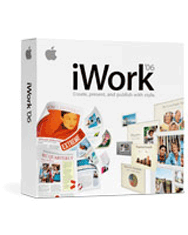
Apple iWork 06 Retail (Family Pack 5 Licenses)
Availability: Phased Out

Pay only P 739 a Month for 12 months.
Or pay only P 1,399 a Month for 6 months.
- Installment promo is available for locally issued credit cards
- Card holder must transact inside an Asianic store to avail of the installment
Product Description:
Family Pack Software License Agreement allows you to install and use one copy of the Apple Software on up to a maximum of five (5) Apple-labeled computers at a time as long as those computers are located in the same household and used by persons who occupy that same household. By "household" we mean a person or persons sharing the same housing unit such as a home, apartment, mobile home or condominium. This license does not extend to students who reside at a separate on-campus location or to business or commercial users.
New in Both Pages 2 and Keynote 3
Perform basic spreadsheet-style calculations and formatting in tables.
Display your data in beautiful three-dimensional charts with life-like textures.
Add stars, polygons or draw freeform custom shapes with Bézier curves in any
document or presentation.
Mask photos and images with any shape.
Adjust photos just like you’d adjust them in iPhoto.
Add reviewer comments to any document or presentation to capture to-do’s or
reminders.
Pages 2
It’s the easiest way to create great-looking documents for yourself, your group
or your business — from simple letters and flyers to professional-quality
newsletters and brochures.
Highlights
Start with any one of 66 templates, including 25 new designs.
Import documents created with AppleWorks or Microsoft Word — from both PC and
Mac.
Export as a cross-platform PDF, Word, HTML, RTF or text-only file.
Build form letters with drag-and-drop simplicity using your Address Book.
Keynote 3
Cinema-quality presentations for everyone -- with ease. Keynote puts you in the
director’s chair and gives you complete control over how you build and deliver
your presentation.
Highlights
Choose from 27 themes, including new HD themes up to 1920x1080 pixels.
Add gorgeous cinematic transitions, animations, slide builds and more.
Import presentations created with AppleWorks or Microsoft PowerPoint on from
both PC and Mac.
Export your presentation to PowerPoint, or to iDVD or iPhoto.
See all your slides at a glance in Light Table View and easily reorganize them.
System Requirements:
iWork ’06 requires Mac OS X version 10.3.9 or v10.4.3 or later, a Macintosh
computer with a 500 MHz or faster PowerPC G4, PowerPC G5 or Intel Core
processor, 256 MB of RAM (512MB recommended), 32MB of video RAM, QuickTime 7.0.3
or later, and a DVD drive required for install.
iLife ’06 is recommended.
iWork ’06 supports a wide range of industry standard file formats.
Pages 2 imports and exports Microsoft Word, RTF, HTML, and plain text files,
imports AppleWorks files, and exports PDF.
Keynote 3 imports Microsoft PowerPoint and AppleWorks files and exports
PowerPoint, QuickTime, Macromedia Flash, PDF, HTML, and images files. Keynote 3
also exports to iLife.
iWork ’06 also imports a range of media including JPEG, TIFF, PNG, PSD, EPS,
PDF, and QuickTime.Â
A 30-day iWork ‘06 Trial will be available on new hardware, in retail boxes of
Mac OS X and iLife ’06. After 30 days, the Trial becomes an iWork ’06 player.